How To: For School Editors
Learn How To fully use Optimizely as a School Editor
How to add and organize important sites for web editors as bookmarks for easy access
This video reviews how office and school based editors can create a new web page and create a text block for the page. You also have the option to add images for a partial page view card or as a banner image at the top of your page. Lastly the video shows you how to add your new page to other pages on your site as a link or a card. Please enjoy.

This video goes over how to create a rich text block to add text to a web page.
There are different ways to publish content in Optimizely. One of the most efficient ways is to use the Project Overview. The Project Overview allows you to select as many items as you want and publish them all at once. It is also the best area to check for items you may have missed if you were publishing content as you were working. We recommend always checking the Project Overview before you are done editing.
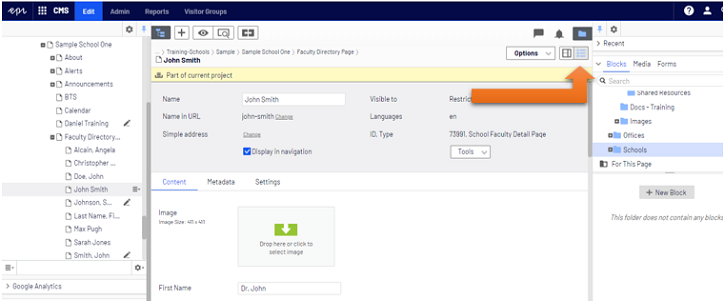
You should be in All Properties View to follow along with this video. The view buttons are in the upper right corner of the central editing area. The All Properties View button looks like a bulleted list.