
Parent Information for Digital Learning in PGCPS
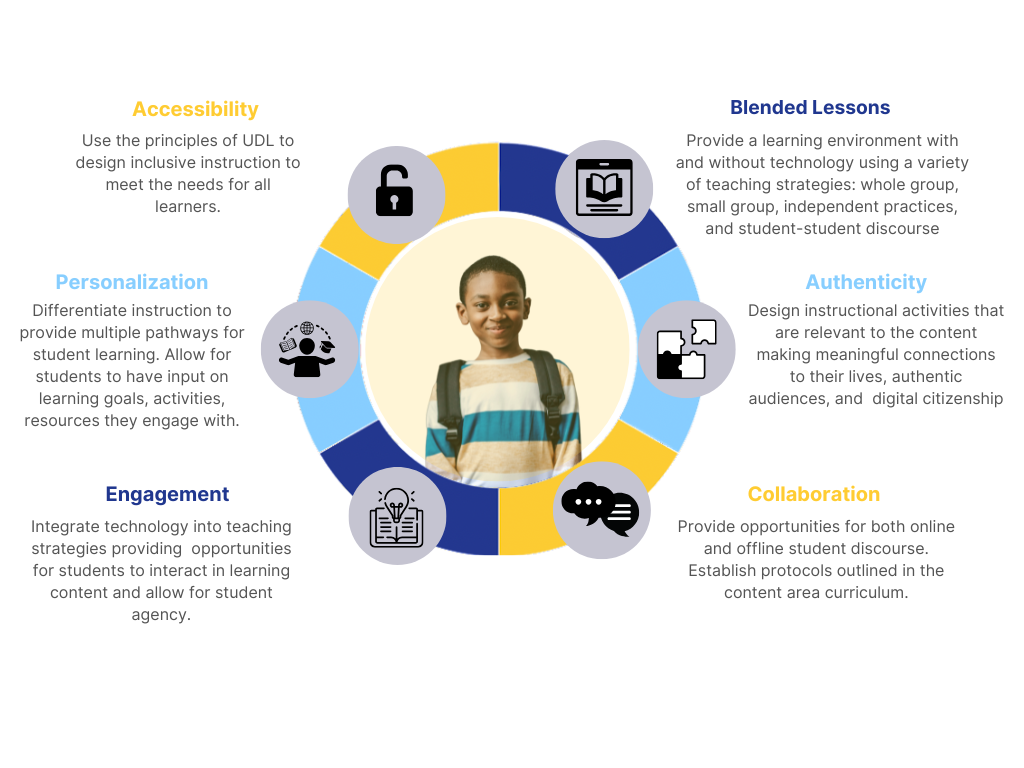
- Accessibility - Use the principles of UDL to design inclusive instruction to meet the needs for all learners.
- Personalization - Differentiate instruction to provide multiple pathways for student learning. Allow for students to have input on learning goals, activities, resources they engage with.
- Engagement - Integrate technology into teaching strategies providing opportunities for students to interact in learning content and allow for student agency.
- Blended Lessons - Provide a learning environment with and without technology using a variety of teaching strategies: whole group, small group, independent practices, and student-student discourse
- Authenticity - Design instructional activities that are relevant to the content making meaningful connections to their lives, authentic audiences, and digital citizenship
- Collaboration - Provide opportunities for both online and offline student discourse. Establish protocols outlined in the content area curriculum.
Achieving Balance: Using Student Screen Time for Meaningful Instruction
In Prince George's County Public Schools (PGCPS), technology is an essential partner in our classrooms. Every K–12 student has access to a district device to support their education. However, a device is a tool for learning—not the entire classroom.
Balanced instruction is the intentional blend of digital learning, hands-on practice, collaborative group work, and screen-free critical thinking. While technology makes learning interactive, accessible, and creative, students also thrive when they read physical books, write by hand, move, collaborate with peers, experiment with tangible materials, and engage in face-to-face discussions with teachers and peers.
The Bottom Line: Balance means using technology when it enriches and adds real value to a learning experience, not simply because a screen is available.
How is PGCPS Supporting Balanced Instruction
PGCPS is deeply committed to supporting balanced instruction by protecting unstructured student time as vital space for children to interact face-to-face, move, problem-solve, collaborate, and build meaningful relationships with peers. While technology remains a powerful educational tool, its proliferation requires us to be intentional about when and why screens are used. Restricting screen time during unstructured periods is not simply about reducing time spent on devices—it is about actively safeguarding the space children need to practice essential social, emotional, and physical skills.
We are committed in taking this initial approach in our elementary schools; therefore, the following key actions are being implemented:
- Unstructured Time Protection: During recess, lunch, and transitions and unstructured break periods, Chromebooks will remain closed, in order to prioritize social interaction, play, and physical movement.
- Designated Instructional Time: Use of Chromebooks during designated instructional time must be active and purposeful. Instructional time could include the use of adaptive learning programs or targeted interventions, such as Imagine Learning, Lexia or other district approved program.
- PBIS Expectations: Where technology is incorporated into Positive Behavioral Interventions and Support (PBIS) programs, activities must be structured, purposeful, educational, and adult-supervised. Passive or recreational screen time (e.g., non-educational video streaming) is not an allowable PBIS reward.
- Youtube Access for Independent Browsing: Independent YouTube browsing for students will be restricted, but teachers retain full access to share video-based educational content.
For all schools, staff will receive updated guidance on classroom strategies and leadership support for purposeful, balanced technology integration.
We are committed to further studying the issue of student screen time in much greater depth, evaluating the ways and time technology is utilized on an average school day.
Why Balanced Instruction Matters for Your Child
- Protects Focus and Reading Skills: Combining digital tools with physical books, handwriting, and paper-based problem-solving protects student attention spans and helps build deeper reading comprehension.
- Supports Health and Digital Wellness: Intentional, purposeful screen time ensures devices are used as tools for learning rather than passive entertainment, helping prevent screen fatigue.
- Builds Strong Social Connections: Classroom discussions, peer group work, and face-to-face interactions with teachers build the core social-emotional skills children need.
- Encourages Active Learning: Technology is at its best when students are actively creating, problem-solving, and collaborating, not just staring at a screen.
What Guidance Is Provided to Teachers
In PGCPS, educators use the PIC-RAT model to ensure technology is integrated intentionally and meaningfully into everyday learning. Developed by researchers Royce Kimmons, Charles R. Graham, and Richard E. West, this framework helps teachers evaluate technology by asking two fundamental questions:
- PIC: What are students doing with the technology?
- P – Passive: Students are receiving information (e.g., watching an instructional video).
- I – Interactive: Students are actively practicing and responding (e.g., learning with the use of an instructional technology tool).
- C – Creative: Students are building or designing something new (e.g., producing a digital podcast or coding a project).
- RAT: How is technology changing the learning task?
- R – Replaces: Technology substitutes a traditional activity without changing the task (e.g., completing a digital handout instead of completing it on paper).
- A – Amplifies: Technology makes the task more efficient, effective, or engaging.
- T – Transforms: Technology enables brand-new learning experiences that were previously impossible without it.
A Note on How We Use PIC-RAT:
It is important to know that PIC-RAT is not a scorecard or a grading system for teachers, it is a tool for helping teachers grow great learning experiences.
There is no "bad" place to be on the framework. A "passive" activity (like watching an instructional video) or a "replacement" activity (like typing an essay instead of writing it by hand) may be the right choice for a specific lesson. Higher levels aren't automatically better. The true value comes from choosing technology intentionally and keeping student learning at the center of every decision.
What Could Parents See in Balanced Instruction
Families should expect technology to be one part of a varied instructional experience which may consist of:
- Purposeful technology use: The device is connected to a clear learning goal rather than used simply to keep students occupied.
- A mix of learning experiences: Students may alternate among teacher-led instruction, discussion, independent practice, collaboration, reading, writing, hands-on activities, movement, and digital learning.
- Opportunities to unplug: Students have regular opportunities to learn without a screen when a non-digital experience is the better choice.
- Accessible learning: Technology is used when it can remove barriers or provide meaningful support, such as translation, text-to-speech, visual supports, accessibility tools, or multiple ways to demonstrate understanding.
- Thoughtful transitions and breaks: Instruction considers students' developmental needs and includes opportunities to look away from screens, move, interact, and reset.
Technology supports, not replaces relationships; therefore, students should continue to build relationships with teachers and classmates through conversation, collaboration, and shared experiences.
For more information about academic support, view grade level resources on our PGCPS Parent Page.
How Can Parents Support Their Child At Home
Technology is a powerful tool for learning, but balance is key. You can help your child build healthy digital habits, protect their well-being, and get the most out of their school experiences with these simple strategies:
Focus on Learning, Not Just Screen Time
- Ask about purpose: Start conversations with "What are you learning?" The goal of the activity matters most.
- Focus on creation: Ask your child to show you something they created, solved, explained, or learned, rather than just an app they opened.
Prioritize Everyday Balance
- Encourage a healthy mix: Balance device time with regular daily reading, physical activity, outdoor play, hobbies, family time, and rest.
- Set device-free boundaries: Establish routine tech-free zones that work for your family, such as during meals, family conversations, and bedtime.
Promote Safe and Responsible Use
- Care for equipment: Help your child care for their school-issued device and follow school rules for appropriate, responsible use.
Partner with Teachers
- Reach out when needed: Reach out to your child's teacher if you have questions or want to discuss the assignment.
For additional information on supporting your child at home, view Common Sense Media: Offline and Off-Screen Activities for Minds-On Learning
Artificial Intelligence (AI) in Education
Artificial Intelligence is transforming how students learn when it is used responsibly. Families can help by talking with children about original thinking, privacy, misinformation, academic integrity, and following teacher directions. Prince George's County Public Schools (PGCPS) provides parents and guardians guidance to help families understand both the benefits and risks of AI.
Learn more about how parents can support students at home on our AI in PGCPS webpage.
Access to PGCPS Devices for Students
Prince George's County Public Schools (PGCPS) provides all K-12 students with access to computing devices—primarily Chromebooks, alongside iPads or specialized laptops for select programs—to support learning in the classroom or in some cases, at home. Depending on your child's school, devices are distributed through either a Take Home Model or an In-School/Cart-Based Model, though parents can formally request home device access under the cart-based setup. To ensure a safe and productive digital learning environment, families are expected to support proper device care and responsible digital citizenship, keeping in mind that parents may be held financially responsible through tiered fees if a device is lost, stolen, or damaged due to misuse.
Learn more about student devices on our Student Device Use in PGCPS webpage.
Virtual Education Day Preparedness
In the event of severe weather that requires students to be absent from school, Prince George's County Public Schools (PGCPS) has prepared a Virtual Education Day Plan. Per Maryland State Department of Education (MSDE) guidelines, virtual weather days must include four hours of live (synchronous) instruction to count as a full school day. The community will be advised when the Virtual Education Day plan should be activated. The Plan outlines synchronous and asynchronous learning schedules, attendance procedures, and student support services during virtual instruction days.
When the Virtual Education Day plan is activated, parents/guardians may request a PGCPS chromebook to use at home temporarily to access instructional materials or students may use personal devices at home.
To ensure students, staff, and families are fully prepared, all schools will complete an annual emergency preparedness drill. This drill tests our system readiness to smoothly transition from in-person instruction to virtual learning without missing a step.
To learn more. view the PGCPS Virtual Education Day plan.